视频动效
Seedance 2.0 舞蹈视频套件:角色设定图 + 16 个嘻哈动作
EN: Seedance 2.0 Dance Video Kit: Character Sheet + 16 Moves
作者 GPT Image 1 User
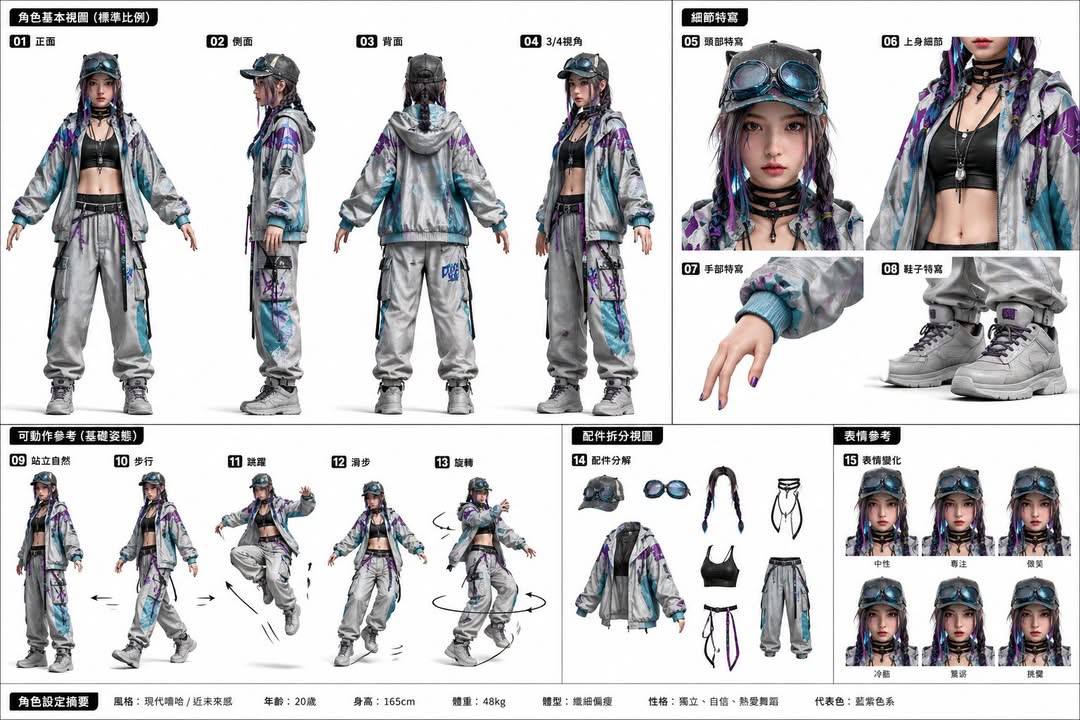
中文摘要
## 第一步:人物生成(参考 Image 1) 上传你的人物照作为 {user_portrait} 替换脸部。指定 {outfit_style}(例如“赛博朋克霓虹战甲”、“传统汉服”、“高中校服”)来更换服装。生成具有 Image 1 风格(正、侧、背视图)的 3D 角色设定图。 ## 第二步:动作动画(参考 Image 2) 将生成的角色放入 Seedance 2.0。从 Image 2(16 个嘻哈舞蹈动作)中选择动作: - 使用动作 12(身体波浪)进行流畅过渡。 - 组合动作 5(手臂波浪)和动作 10(手指指向)作为帅气结尾。 - 从 {selected_moves}(例如“1, 5, 8, 16”)中选择动作编排自定义舞蹈。 **提示词**: “生成现代嘻哈街头风格的写实 3D 角色设定图。然后让该角色根据参考图表中的舞蹈编排,表演流畅的嘻哈舞蹈序列,包含身体波浪、胸部弹出和自信的定格结束。”
完整 Prompt (英文, 复制带去 Studio 用)
**Prompt**: "Generate a realistic 3D character reference sheet in modern hip-hop streetwear style. Then animate this character performing a fluid hip-hop dance sequence using the choreography shown in the reference chart, including body waves, chest pops, and a confident ending freeze."